Personalize with AI
Give different customers a relevant reason to act within the same campaign. Adaptyle writes the passages you mark using selected customer data and brand context. Keep essential prices, dates and destination links in fixed content or Liquid, then compare recipient samples.
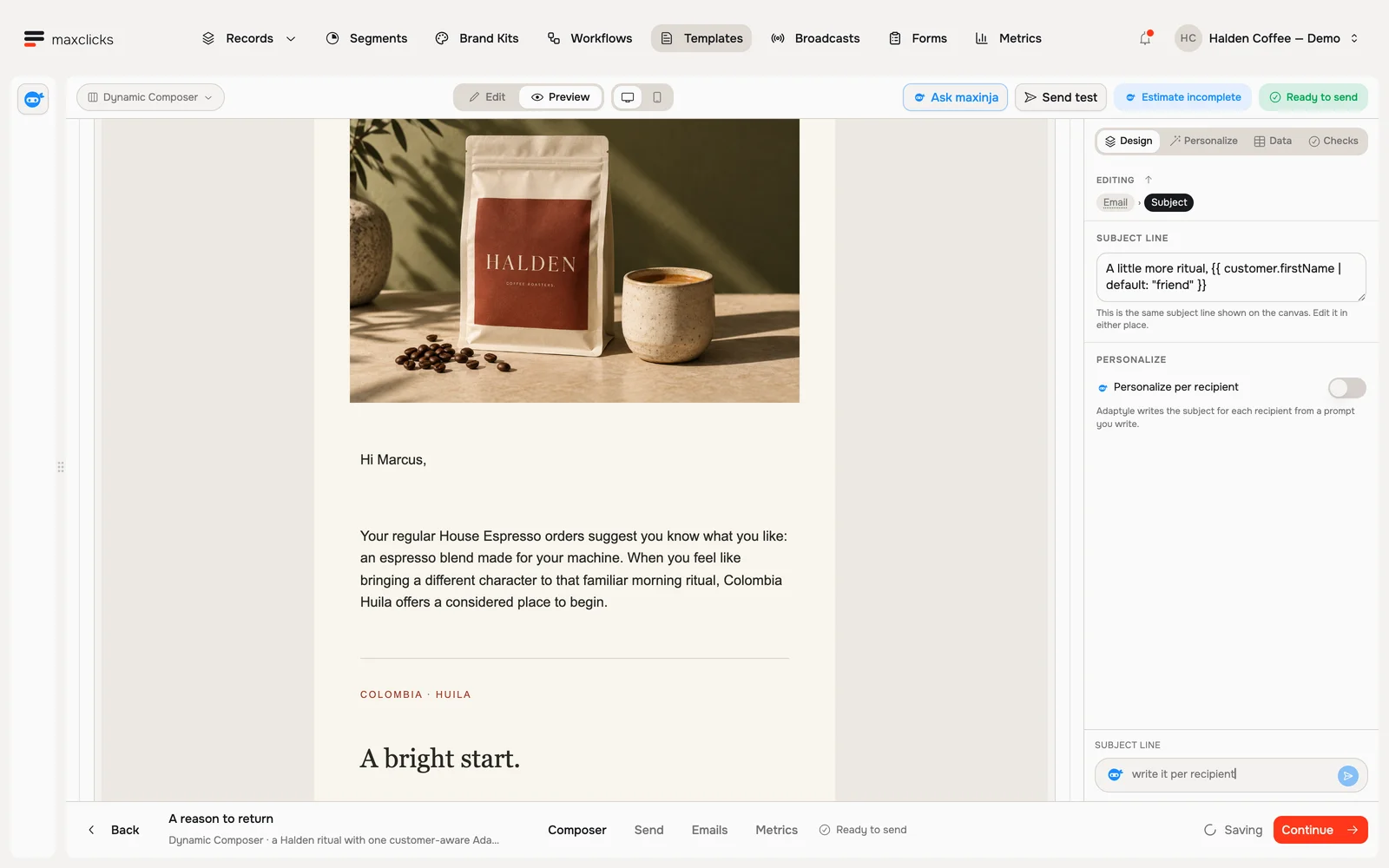
Mark a passage for maxinja
Open your email in the editor
Select the text and click Adaptyle
Select the line you want tailored, like a greeting, a headline or a product mention. The menu that appears over your selection leads with Adaptyle. Click it and that passage becomes a personalized block, marked "Personalized per recipient".
Describe what you want
Type your instruction in the prompt line on the block, in plain English: "make this warmer and reference their last order" to reshape what you wrote, or "write a one-line teaser for this customer" to have it written from scratch. Type
/for ready-made suggestions built from the data this email actually carries.Use the email’s Data panel to confirm the recipient record and fields supplied to the instruction. Select the computed fields and related records you need to expand, and choose a published brand kit for its voice guidance.
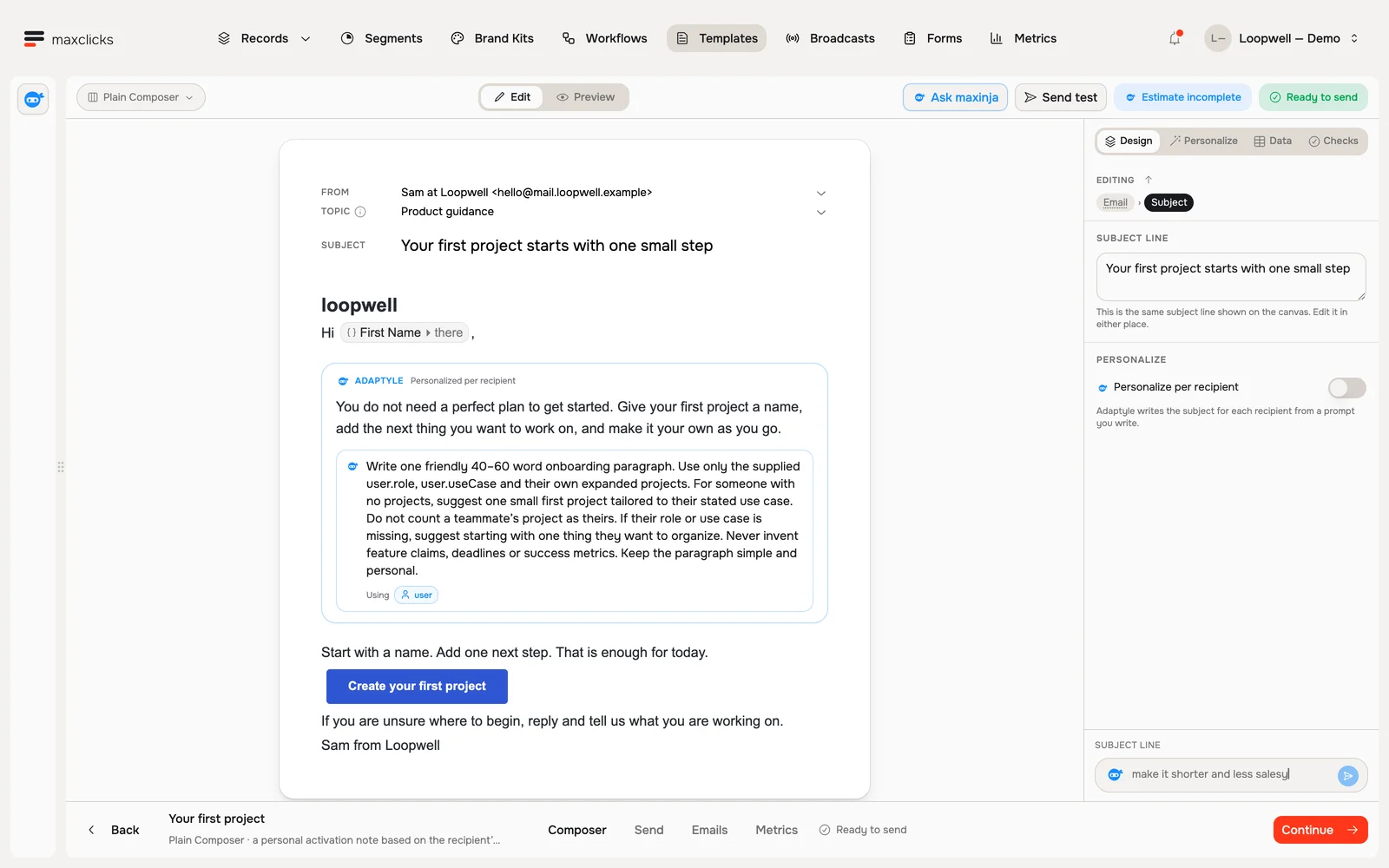
Loopwell demo · An authored Adaptyle paragraph beside fixed first-project copy. Walkthrough steps
Inspect the Plain Composer, open its existing generated Maya preview, review the user binding in Data, and return to the authored paragraph and its Adaptyle instructions. This tour uses an already generated preview and does not send an email.
Preview it on a real person
In the editor's Data panel, pick one of your own contacts, then click Preview. The preview has two views: Base shows the email without personalization, Personalized shows the generated sample. A later generation can produce different copy.
When an email carries an instruction, configure Model and Thinking under Personalize → Runs with. Confirm both settings; Generate preview is unavailable while required settings are missing. Pick them and click Generate preview to produce the personalized version, then Regenerate to try again. Swap in a different contact and regenerate to see how it reads for someone else.
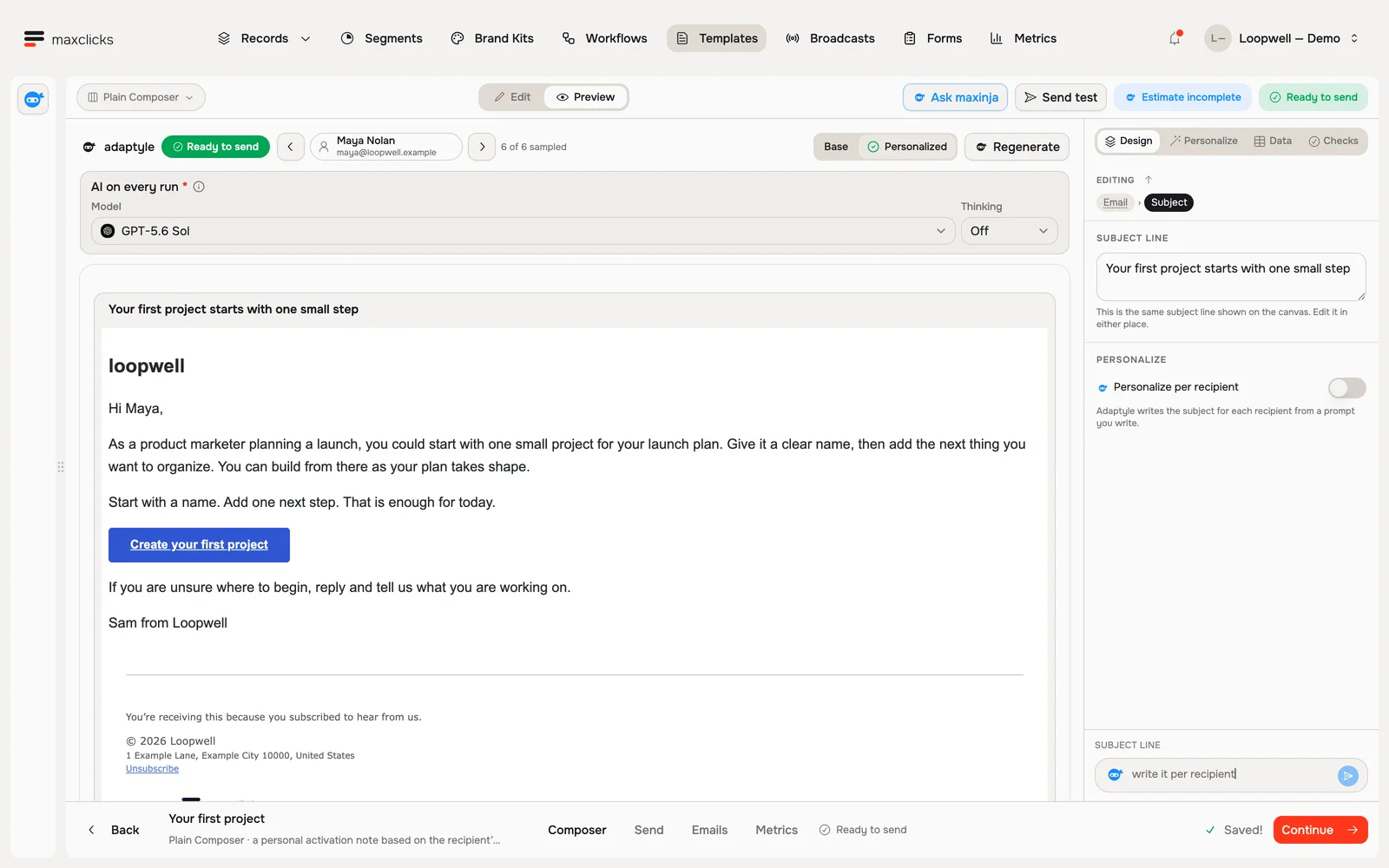
Loopwell demo · A real generated preview for Maya. Each theme shows a separate generation. Walkthrough steps
With Maya selected, request a real personalized preview and wait for it to finish. Read the generated next-step advice using her product marketing role and launch use case. The template retains its button, sign-off and footer. No email is sent; separate generations can vary.
The editor’s readiness chip links to Checks. Resolve its issues and inspect the personalized sample. A clean draft is still subject to the broadcast’s preparation, quality and sending checks when you execute the campaign.
To take personalization back off a passage, select it again and click Remove Adaptyle. The content stays exactly as you wrote it.
Ask maxinja to do it: "Personalize the opening line of this email to reference each customer's most recent purchase." It adds the instruction in the right spot, and you can preview it straight away.
What it costs
AI personalization runs for each recipient whose email is rendered with an instruction, and its actual model usage is billed in credits. Previews and regenerations also use AI. Content outside the marked regions is protected from the AI rewrite; Liquid still resolves its variables.
Choose the passages where customer context changes the reason to act, such as the opening or product explanation. Keep offer amounts, deadlines and destination links in ordinary copy or merge tags. An email with no instructions skips the generative pass. Sending allowances, overages and any other operation charges are separate.
Compare a representative set
Use a repeat buyer, a new customer and a contact with no relevant history. For each, check the selected data against the generated claim: did the email refer only to recorded facts, preserve the offer and keep the destination link? Give the instruction an explicit fallback for absent history.
Subject and body are generated together. A correction or campaign review can add calls, so one prompt does not equal one billable call. The Estimate panel separates the available cost components and marks unknown values. A static sample can also hide a Liquid branch that requires AI for other recipients.
If a render rejects a protected link, markup or fixed text, narrow the instruction. Make structural changes in the draft and keep recipient-time prompts focused on writing. See Adaptyle rendering and validation.
Getting good results
- Describe the outcome, not the words. "Write a one-line reason to come back, based on what they bought" beats "say we miss them".
- Check the available context. Select any evaluated fields or related records the instruction needs. State how to write when a preference or purchase history is absent; do not ask it to infer an unsupported fact.
- Keep it to a handful. More than 10 instructions in one email is a sign the email is doing too much, and maxclicks warns you.
- Preview on more than one person. Check different contexts and missing fields. A few good previews help you find problems; they do not guarantee every future output.
Related
In one of the code editors, the same instructions are written between <<< and >>>, covered on the Adaptyle page. Put this to work in a broadcast, or set it up once inside a workflow and every send from that step is personalized.