Build a repeat-purchase campaign
Give returning customers a reason to order again. This walkthrough uses Halden, a fictional coffee business, to connect purchase history, a campaign audience and a personal product introduction.
The goal is a new completed order. An email open or click is an earlier signal, not the purchase itself.
Start with the customer decision
Halden is introducing a single-origin coffee. It wants to reach past buyers who have not ordered recently. The product and destination stay the same, while Adaptyle explains the coffee using each customer's recorded preferences.
Prepare the data
You need customer records, linked orders and the product facts you intend to use. Your team or integration must keep that source data current.
| Data | Why the campaign needs it |
|---|---|
| Customer identifier and email preferences | Match orders to the right person and determine marketing eligibility. |
| Order identifier, customer identifier, status and date | Count completed orders and find the last purchase. |
| Product name, description, current price and destination | Keep the campaign's claims and offer tied to supplied facts. |
| Brewing method or stated preference, when available | Give the introduction relevant context without guessing. |
Check the actual identifiers that connect orders to customers. A similar name does not establish a relationship. Understand your data explains setting up these fields; import a list or use the Records API to populate them.
Define who should hear from you
Create an evaluated attribute for completed order count and another for the latest completed order. Review the generated definition and test a customer with several orders, one with none and one whose latest order is not completed.
For this campaign, use a business rule such as at least two completed orders and no completed order in the last 30 days. Adjust that interval to your product's buying cycle.
Open Segments → New segment, choose your contact type and describe that rule in the condition prompt. maxinja generates the condition there using your actual schema and fields. Save the reviewed segment. Open the matching records. Confirm that a recent buyer is excluded and a qualifying returning buyer is included. Marketing consent and suppressions are checked separately from matching the audience.
Brief maxinja and inspect the draft
Create an unscheduled broadcast for this returning-customer segment. Introduce the supplied single-origin coffee. Keep the product name, price, offer terms and product link fixed. Use Adaptyle for the introduction, drawing on the customer's selected order history and brewing preference. If those details are missing, introduce the coffee without claiming a preference or purchase. Leave the draft for review.
Attach or select the actual product details. Open the saved broadcast and verify its contact type, segment and matching recipients. In Composer, inspect the authored product section and link; the agent's summary is not a substitute for checking the saved campaign.
Check two customers and a fallback
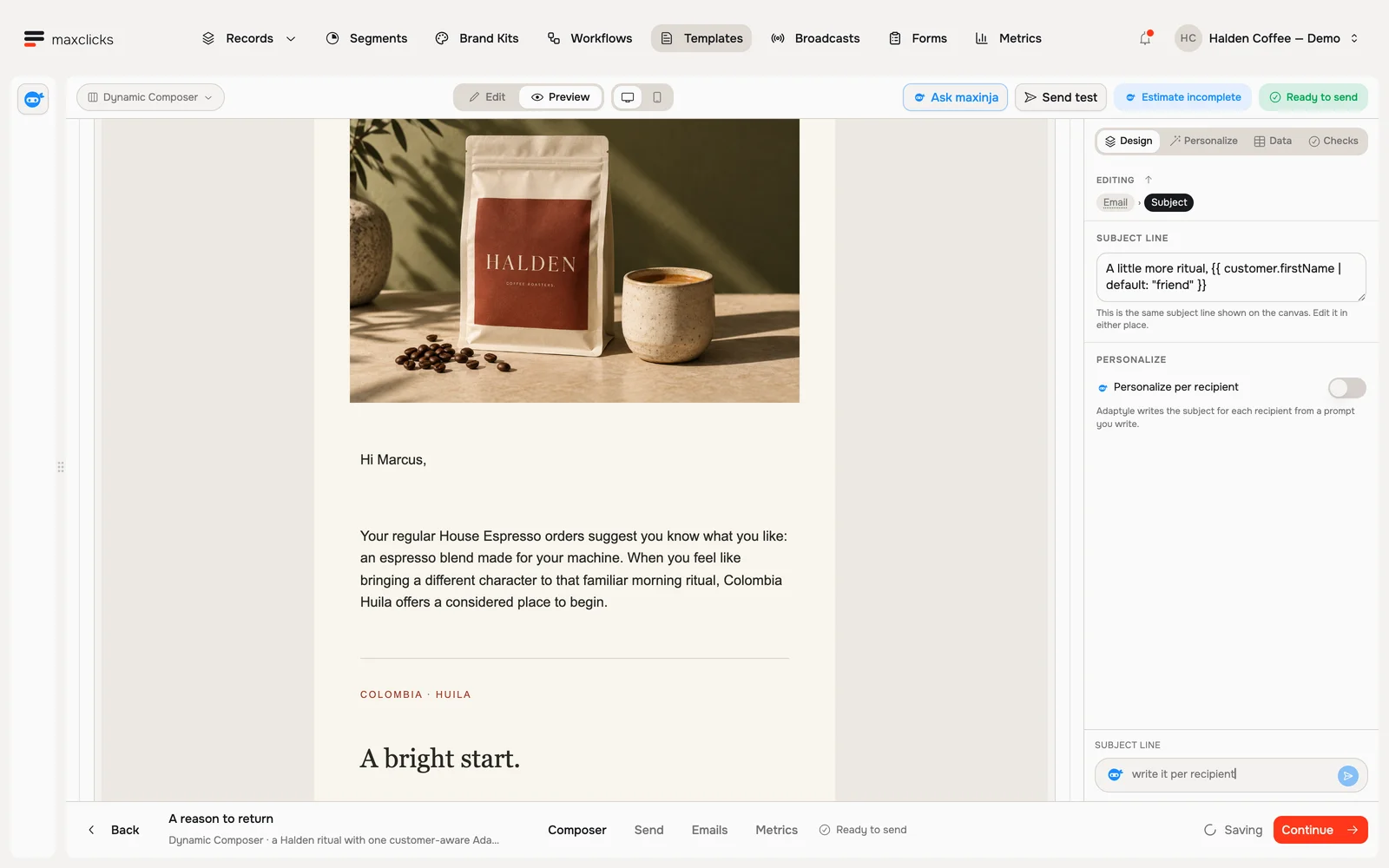
In Data, select the purchase history and preference fields the instruction needs. Choose a published brand kit and set Model and Thinking under Personalize → Runs with. Open Preview → Personalized → Generate preview for each test case.
| Customer context | What to inspect |
|---|---|
| Pour-over preference and relevant purchase history | The introduction can use those facts, but should not invent a tasting opinion or claim the customer tried the new product. |
| Espresso preference and different previous orders | The wording should reflect that context while preserving the supplied product facts and offer. |
| Missing preference or order detail | The introduction should use the fallback without claiming an unsupported personal history. |
Read each full email, including the subject and destination. Refine the instruction if the copy adds unsupported claims. See personalization checks.
Send and inspect the response
Use the sending checklist to verify the domain, sender, recipients, consent, rendered samples and estimated usage before scheduling. Adaptyle rendering uses AI credits for each recipient who needs generation, in addition to applicable sending usage.
Afterward, inspect recipient delivery outcomes and clicks in reports. Use completed orders from your business data to assess whether customers purchased again. Define the purchase window and customer matching before interpreting results; clicks alone do not establish revenue or prove the campaign caused an order.
For a follow-up journey, check for a new completed order after the wait and before another email. The workflow walkthrough teaches that check-before-reminding pattern with an onboarding example; apply it to your order records and buying cycle.