Meet maxinja
Give maxinja the outcome and the constraints that define good work. It can investigate customer data, build campaigns and journeys, and refine the email inside them. This guide shows where to brief it and how to inspect the result.
Walkthrough steps
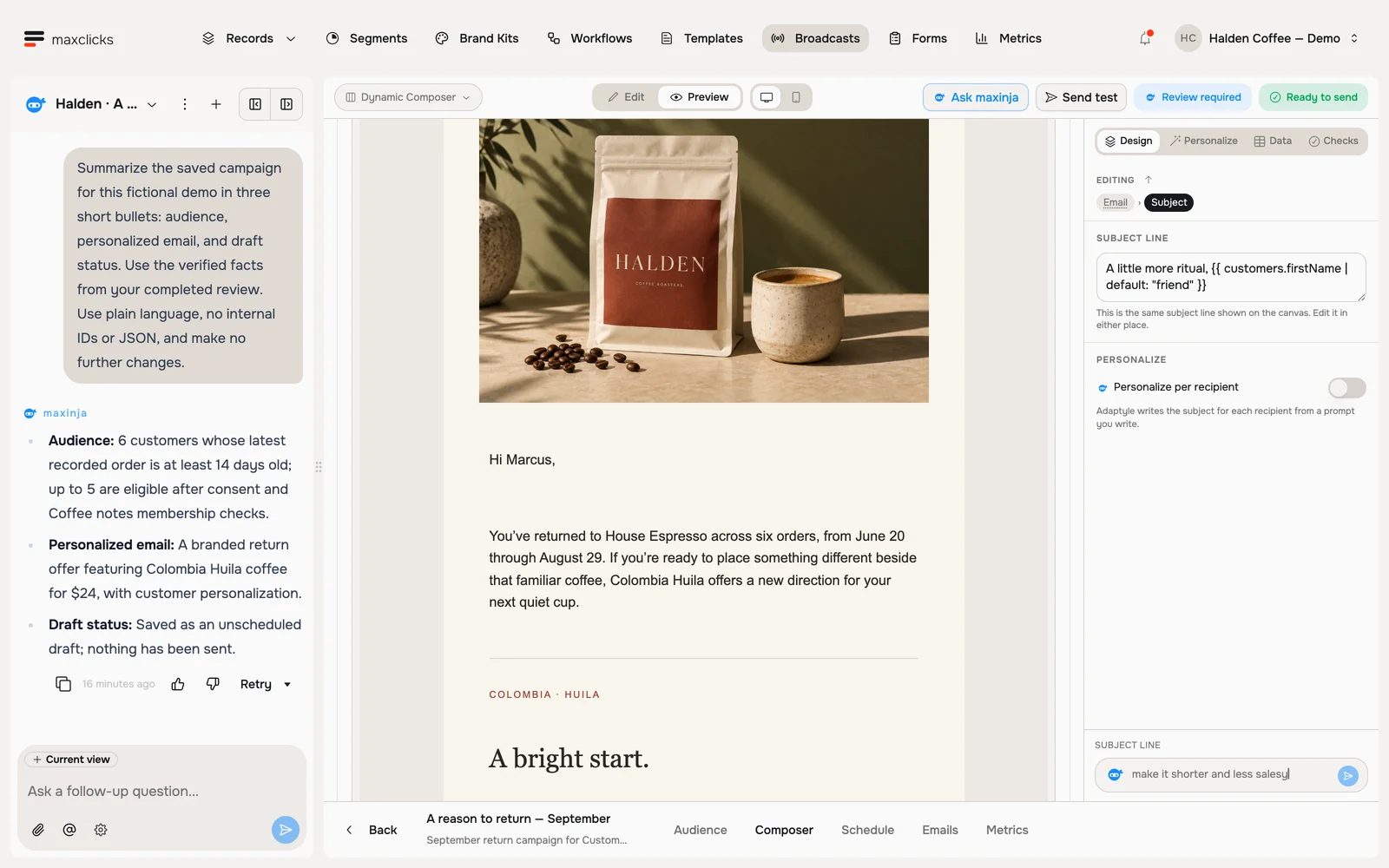
Read maxinja’s completed review of a real Halden campaign draft. Inspect the actual audience count, available draft controls and saved Marcus preview. The agent corrected the audience and sender and left the campaign unscheduled. This is a walkthrough of the completed review, not a recording of live campaign creation; no email is sent.
How maxinja works
You do not need to learn any special commands. The rhythm is always the same, wherever you meet maxinja:
Describe what you want
Type your request the way you would explain it to a coworker, for example "write a welcome email for new customers" or "find everyone who signed up last week."
Review what it made
maxinja does the work and shows you the result in plain language, like a preview of the email it wrote or a list of the contacts it found. You never see any code.
Refine until it is right
If something is off, say so: "make it shorter", or "only include paying customers." maxinja updates and shows you again.
Two places you will find it
The chat panel
Open the assistant from the panel on the left of your workspace to chat alongside your work. It can answer questions about maxclicks, look things up in your space, and build whole emails, broadcasts, and workflows for you.
The Ask maxinja box
In many places, like when you are creating a segment or setting up a workflow step, you will see a small "Ask maxinja" box. Describe what you need right there and maxinja fills it in for you.
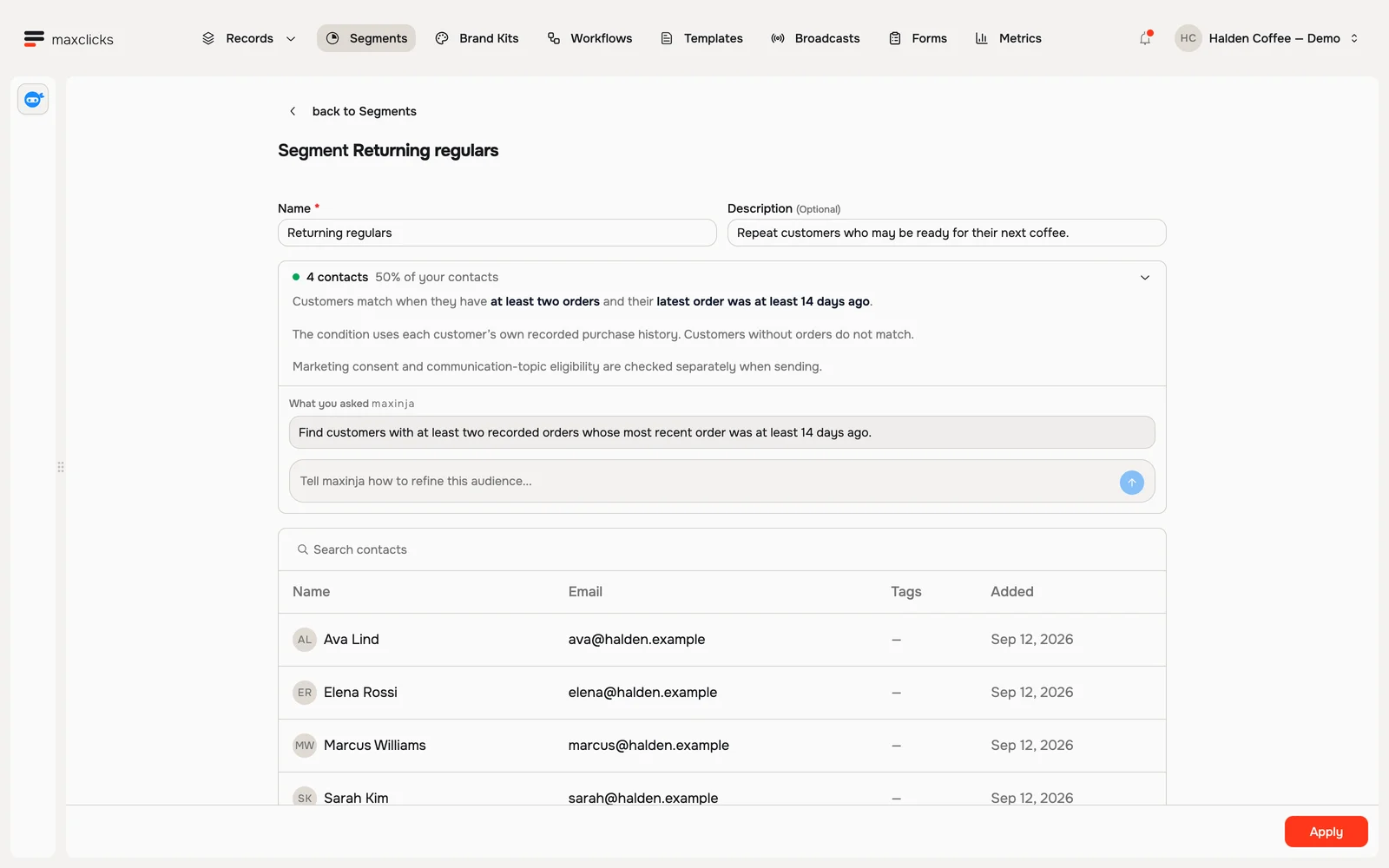
Halden demo · Four returning customers match the purchase-history condition. Sending consent is checked separately. Walkthrough steps
Review Returning regulars: at least two orders and no order in the last 14 days. Inspect the four matching customers, then return to the requirement and refinement box. This walkthrough inspects an existing saved segment.
Give it a little context
When you open a record, template, broadcast, workflow, or form, a Current view chip appears above the message box. Click it so maxinja knows what you are working on. You can also point it at something specific, like a contact, an email, or a segment, so it focuses on exactly the right thing. A single chat can move from one task to the next as you go.
Try asking maxinja: "Create a draft broadcast for customers who bought in the last 30 days. Introduce our new product using the supplied product facts. Keep the price and product link fixed, and leave it unscheduled." Inspect the audience, sender and recipient samples before deciding to send.
Review the artifact, then choose the next action
Open what maxinja saved: check the audience condition and matches, sender, brand kit, fixed campaign facts and representative recipient previews. For a journey, also inspect trigger conditions and the branches that decide whether someone receives an email.
maxinja edits the actual campaign or workflow. If you ask it to send or publish, that action can happen directly; there is no separate approval stage in the chat. Include "leave it unscheduled" or "keep it unpublished" when your intended result is a draft.
Good to know
- Segment filters and evaluated fields use dedicated generation controls. Background computed attributes have typed source, calculation and refresh settings; see computed attributes. You can author Adaptyle instructions yourself in the editor.
- Each request spends credits. Your balance is in Workspace settings, under Billing, on the Overview tab. The itemized breakdown of what each request cost is on the Usage tab, with access determined by your workspace role and plan.
- On the Free plan, the one-time credit grant follows your first domain verification. Eligible new workspaces can receive funded setup assistance before that; ordinary AI operations still require available credits.
- You can rename, star, or delete your chats to keep things tidy.
Next
Put it to work: try creating a segment or sending a broadcast with maxinja's help.