Reuse a template
Keep recurring messages under your marketing team's control while your product handles the send trigger. Build the template and its customer data requirements in maxclicks, then give your developer the template identifier and the fields each send needs.
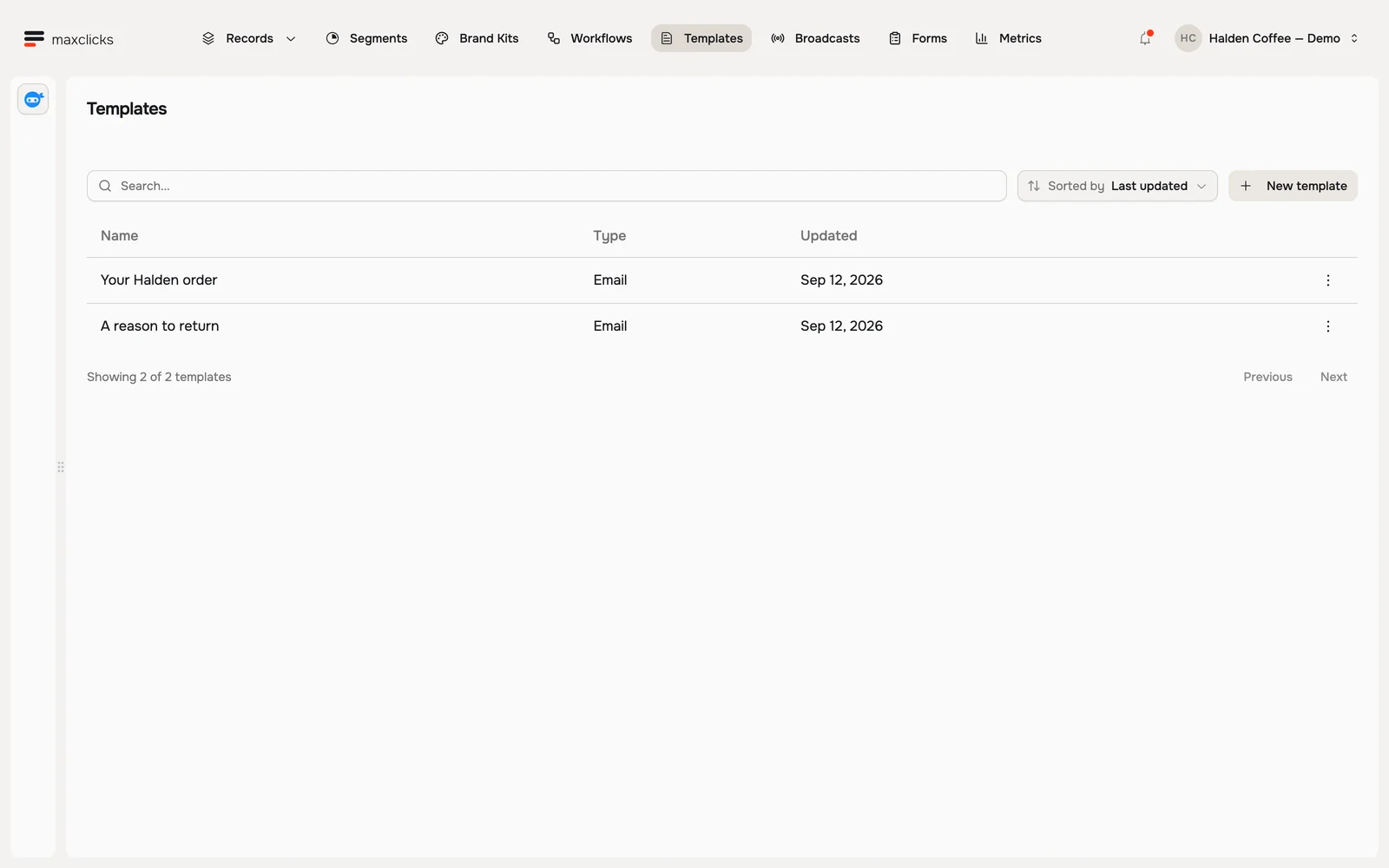
Build the template
Create it
In the top navigation, open Templates and click New template. You land on "Choose your email's starting place", where you pick the editor you want and the sending mode. It is created as an untitled template, and you rename it from its header afterwards to something clear like "Order confirmation".
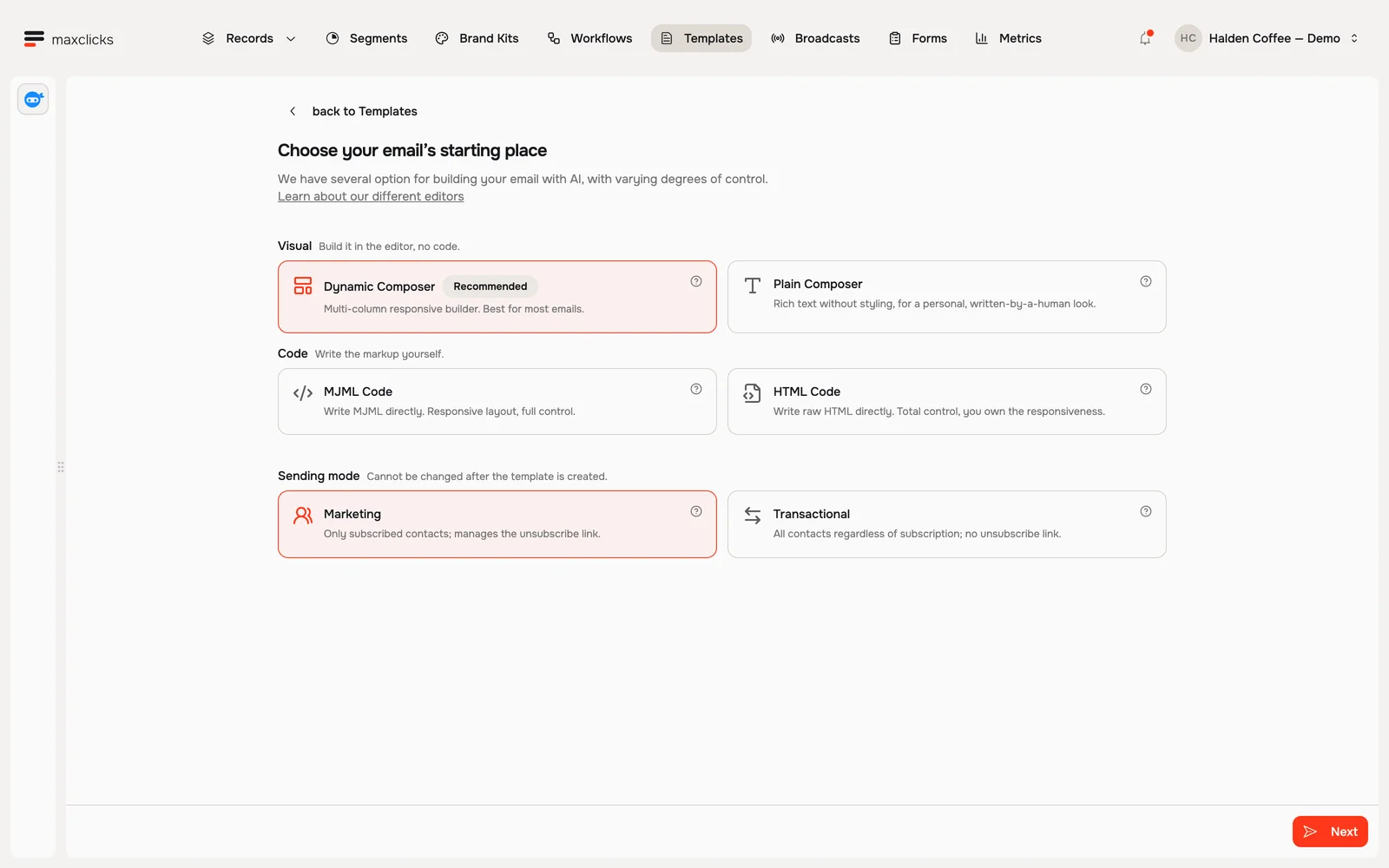
Choose a visual composer or work directly in MJML or HTML. This is the creation screen before saving. Design the email
Build it with text, images and buttons in the editor. It picks up your brand automatically. For the details that change on every send, drop in a merge tag.
A new template carries no data of its own, so add the record type this email is about in the editor's Data panel first. The name in front of the dot in a merge tag is that property's key, which maxclicks names after the record type's slug: a Customers type reads
{{ customers.firstName }}, a Subscribers type reads{{ subscribers.firstName }}. The Data panel shows you the exact keys this email carries.For the parts you want written fresh per person, add an AI instruction.
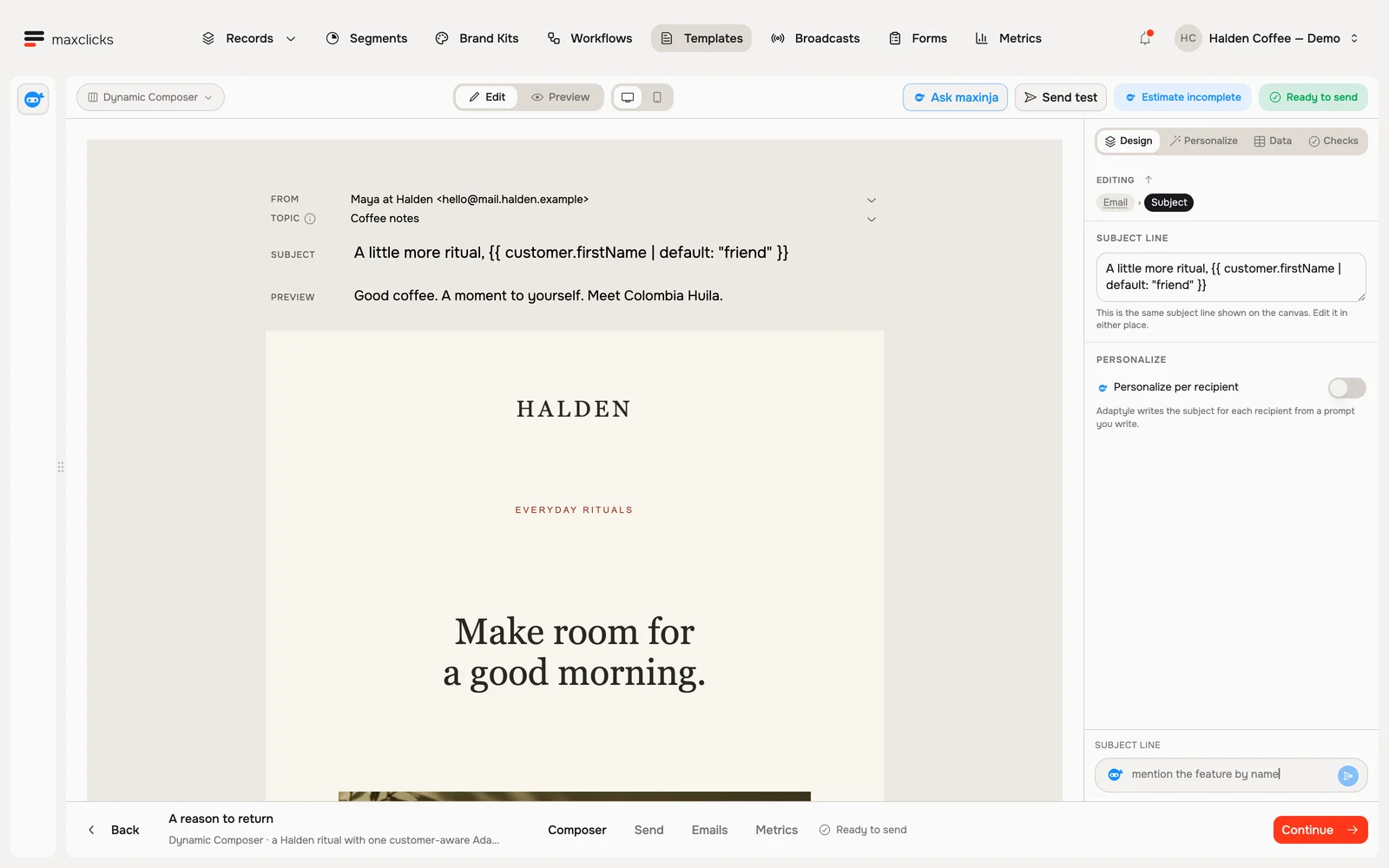
Halden demo · A branded email authored in Dynamic Composer. Walkthrough steps
Tour the Dynamic Composer: inspect the preview, open Data to see the selected Customer record, then return to the authored email. Light shows an existing generated variant for Priya; dark also demonstrates Base preview. No new AI generation or send is performed in this tour.
Set the sender and the topic
Choose which verified address the email comes from. What you do next depends on the sending mode you picked when you created it, which cannot be changed afterwards.
Transactional is what an order confirmation or a password reset needs. It reaches every contact who has an address, subscribed or not, and carries no unsubscribe link.
Marketing reaches only the contacts who consented to email. Pick its Topic in the email-level Delivery settings when you group email that way, and maxclicks adds the unsubscribe link for you.
An address that keeps bouncing is skipped in either mode.
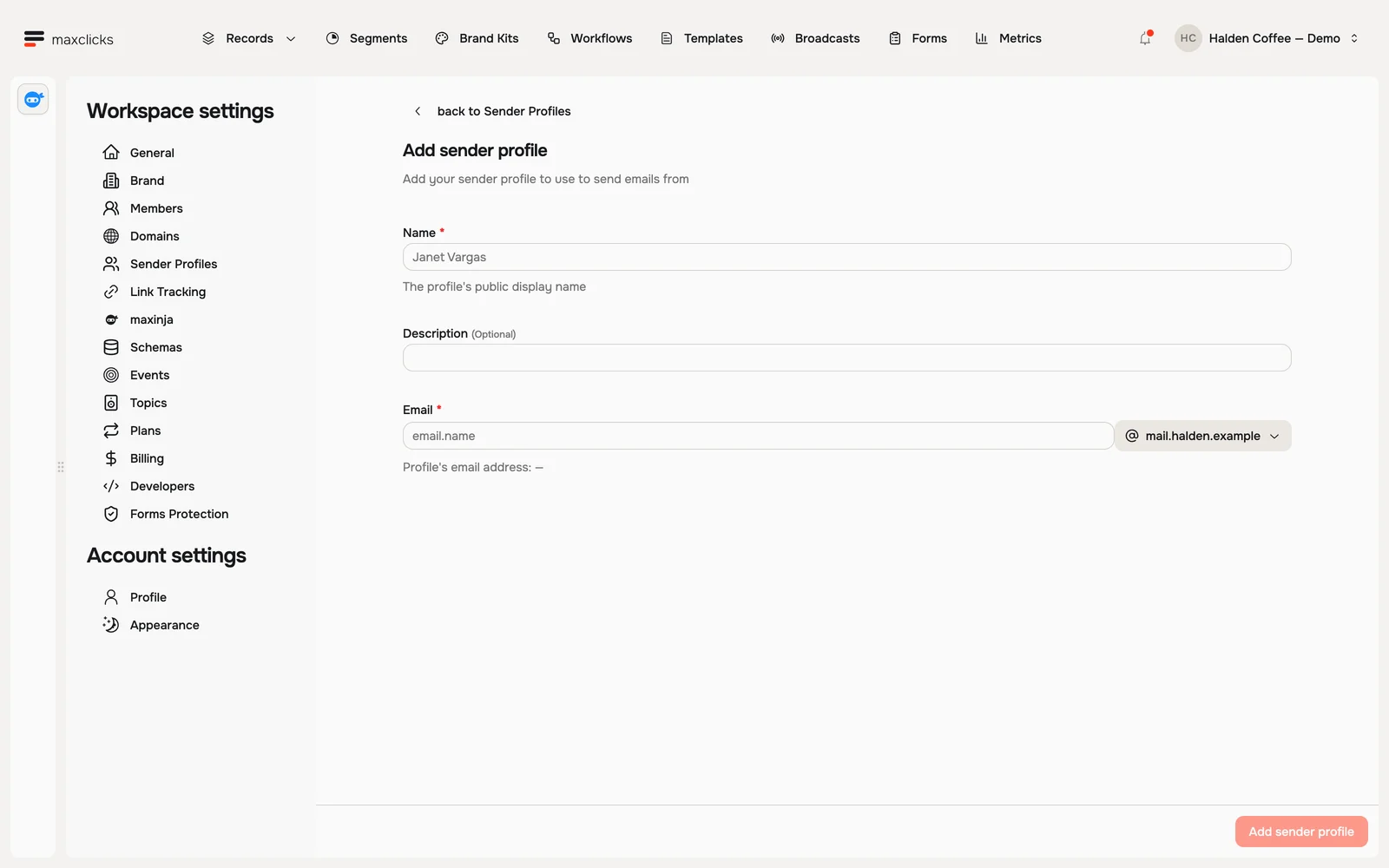
Halden demo · Sender profiles define the display name and sending address. Choose the appropriate saved sender and topic when configuring a template. Walkthrough steps
Open Sender Profiles and choose Add sender profile. Inspect the display name, description, email local part and domain selector. No sender is created and no email is sent.
Preview it
Click Preview to inspect a rendered sample. Personalized wording can differ on a later render. The app's readiness check requires valid sample data and a successful preview. Review several examples, because a single sample does not prove every future request will have complete data. Your edits take effect on the very next send, so changing the wording later never means starting over.
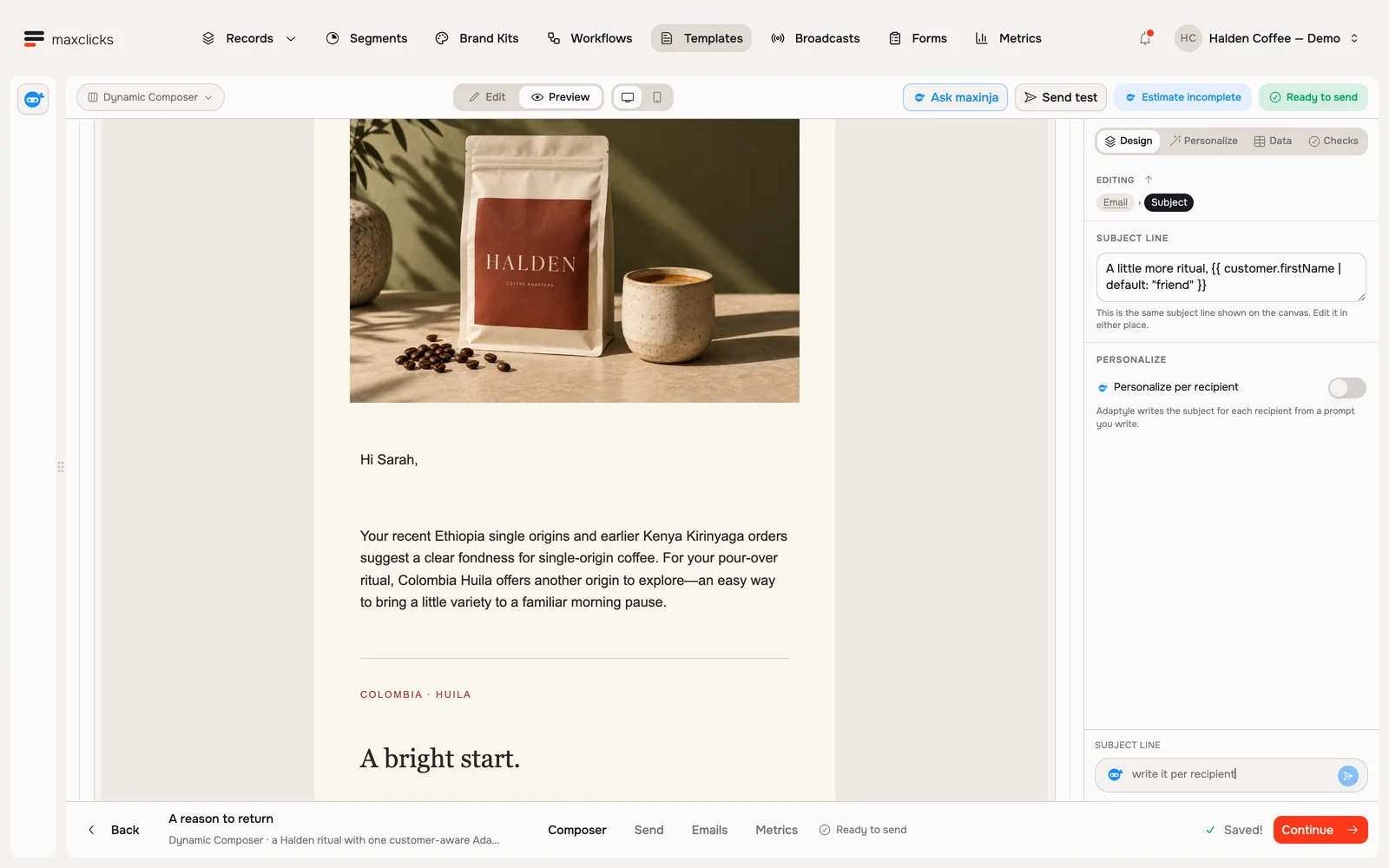
Halden demo · A real generated preview for Sarah. Each theme shows a separate generation. Walkthrough steps
With Sarah selected, request a real personalized preview and wait for it to finish. Scroll to the generated paragraph connecting her Ethiopia and Kenya purchase history and pour-over preference to the supplied Colombia Huila offer. No email is sent; separate generations can vary.
Ask maxinja: "Draft a shipping confirmation template with a tracking button." It writes the email and leaves the right spots for each person's details.
Before it can send
maxclicks refuses to send a template that is not finished, and tells you which piece is missing. You will see one of these:
| What it says | What to do |
|---|---|
| No contact or email data property is selected to send to | In the editor's Data panel, set To to the contact or email address this email goes to |
| No sender is specified | Choose the address it comes from |
| No email content is specified | Add content in the editor |
| You need to preview your email first | Open Preview once |
| Subject line is empty | Write a subject |
| Body is empty | Write a body |
| Checking this content for AI prompts. Try again in a moment | Nothing to do. maxclicks is scanning the content, and the check clears on its own |
| Missing personalization model settings | Open Personalize in the right rail and configure the model and thinking depth for the email's AI instructions |
The toolbar's Send test mails a sample to an address you type. That is for checking your work, not for reaching real people. It is still a real send: you need a verified domain and a sender picked in From before the button is enabled, the message goes out as transactional from that sender, and it counts against your monthly email allowance, so on Free each test costs one of your 100 emails.
Hand it to your app
A saved template has no send button of its own: your app asks for each send. The template's Send tab collects what you need for that: the template ID, the data this template expects and which property is the recipient, plus an example request you can copy.
You only have to send enough to identify each record. Everything else your email uses is read from the stored record at send time. Extra fields you do send are saved to the record first, which is how you fill in a contact who does not exist yet.
For the request itself, see the Templates API.
Agree the handoff with your developer
Share the template ID, the exact Data keys and shapes, the recipient path and the business event that should trigger it. Supplying record fields can change stored customer data before rendering; use identifiers unless those updates are intended.
Agree one idempotency key for each logical message and preserve it on retries. The application should inspect returned send status and keep the email ID for delivery investigation. A successful HTTP response is not proof the recipient received it.
Coordinate saved content changes with the application owner. New requests use the saved template without a publication stage. If the data contract or purpose changes, a separate template and deliberate ID switch can make the rollout easier to review.
When to use a template
Reach for a template when the same email goes to one person at a time with their own information, and your app decides when. For a one-time email to a whole group, use a broadcast. For an email maxclicks sends on its own, build a workflow: its send email step carries its own content written inside the step, so it does not send a saved template.
Next
Set the send up in your code with the Templates API, or build an automation instead in Build a workflow.